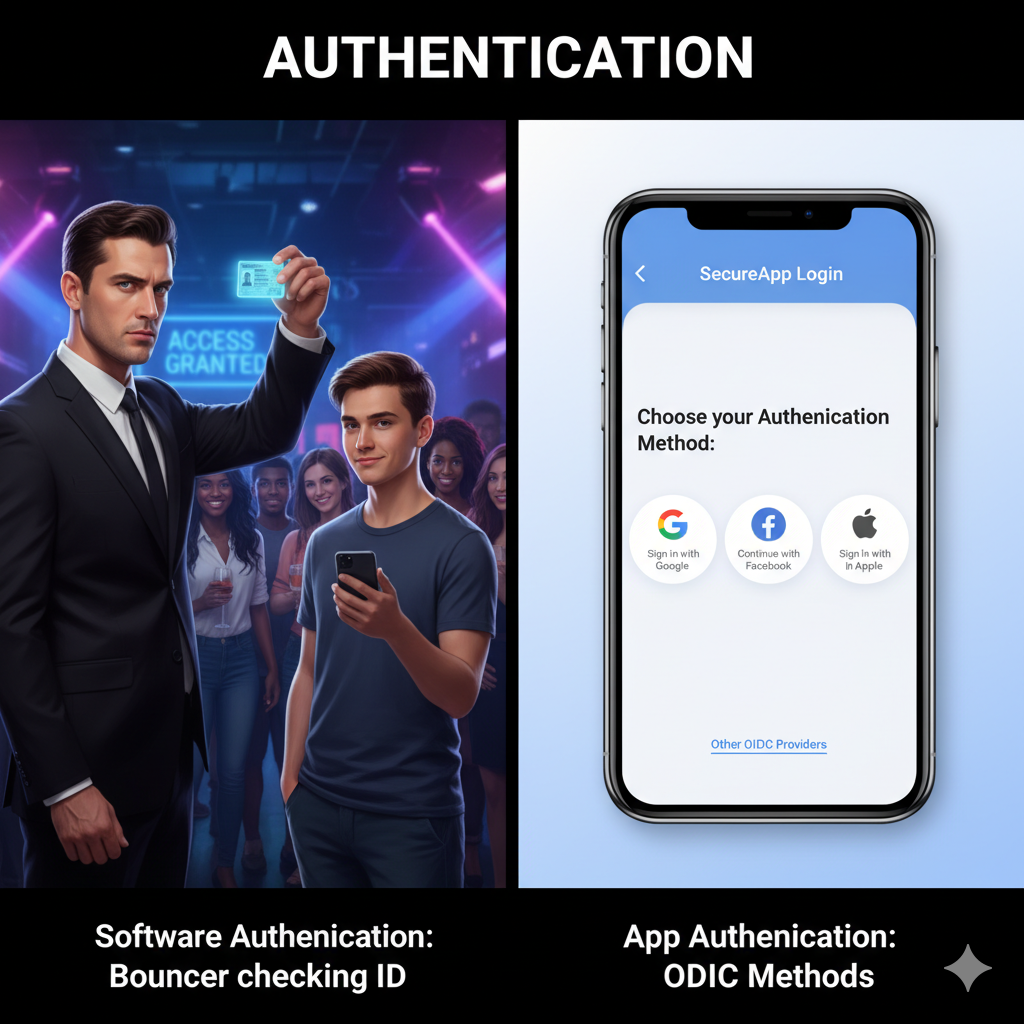
You hear these two words thrown around all the time, and they’re almost always used together. But here’s the thing: they do two completely different jobs. Getting them right is the foundation of all digital security.
So what’s the deal, exactly?
- Authentication is the bouncer at the club door checking your ID. Its only job is to answer one question: “Who are you?”
- Authorization is the VIP wristband you get after you’re inside. It tells the bouncer which rooms you’re allowed into. Its job is to answer: “What are you allowed to do?”
- Authentication always comes first. You can’t figure out what someone is allowed to do until you know who they are.
That’s it. One proves your identity, the other checks your permissions. Let’s break down the most common ways apps do both.
✅ Authentication: Proving You Are Who You Say You Are
Authentication is the first gate you have to pass through. The system needs to trust that you’re not an imposter before it lets you in. Here are the methods you see in 99% of modern apps.
1. Passwords + MFA: The Classic Combo
You know the drill. You type in your username and a password you hopefully haven’t forgotten. It’s the oldest trick in the book.
But we all know passwords alone suck. They get stolen in data breaches, phished by fake login pages, or are just plain weak (Password123!). That’s where Multi-Factor Authentication (MFA) comes in. It’s that second step—a code texted to your phone, a tap on an authenticator app, or your fingerprint.
Think of it like having two different locks on your front door. Even if a hacker steals your key (password), they still can’t get past the second lock (your phone).
When to use: Literally everything that matters. Banking, email, critical work systems. If you care about the account, it needs MFA.
| The Good: | The Bad: |
|---|---|
| - Everyone gets it. | - Passwords are the weak link without MFA. |
| - With MFA, it’s incredibly secure against most common attacks. | - The extra step of MFA can feel like a hassle, but the security is more than worth it. |
2. OAuth & OIDC: The “Sign in with Google” Button
Ever clicked “Sign in with Google” or “Continue with Apple” on a new app? That’s OAuth 2.0 and OIDC at work.
Instead of creating yet another password, you’re telling the new app: “Hey, go ask Google if I’m legit. They’ll vouch for me.” OIDC handles proving who you are, while OAuth 2.0 handles the permission part, like letting the app access your name and email (but not your actual password).
It’s like getting into a partner’s office building because your company ID is trusted there. You don’t need a new ID for every building.
When to use: Perfect for any modern web or mobile app that wants to make signup painless. It reduces the friction of making users create another new account.
| The Good | The Bad |
|---|---|
| Super convenient for users. | You’re putting all your eggs in one basket. If your Google account gets compromised, every app linked to it is at risk. |
| Security is handled by giants like Google or Microsoft who have armies of engineers protecting your account. | For developers, it can be a bit tricky to set up correctly. |
3. SAML: The Corporate Badge
SAML is a fancy technical standard that’s basically built for big businesses. It’s what makes Single Sign-On (SSO) possible in most companies.
Imagine you log into your company’s main system (maybe Okta or Azure AD) in the morning. With SAML, you then automatically get access to all your other work apps—Salesforce, Workday, internal dashboards—without logging in again. Your company’s identity provider vouches for you.
It’s like flashing your corporate badge at the entrance and then being able to walk straight into different departmental offices without another check.
When to use: Exclusively for corporate environments. It’s how employees efficiently access tons of business applications with just one login.
| The Good | The Bad |
|---|---|
| Huge boost to employee productivity by eliminating repeated logins. | Can be a real beast to set up and manage. |
| IT departments get centralized control over who accesses what. | Not really for consumer apps; it’s too complex for your everyday website. |
| Enhances overall corporate security with one strong login point. | If the main identity provider goes down, everyone loses access to everything. |
4. Token-Based Authentication (e.g., JWT): The Concert Ticket
Once you log into an app (say, with a username and password), the server often gives you a special “ticket” – usually a JSON Web Token (JWT). This ticket is like a temporary pass that proves you’re logged in.
Every time you do something else in the app—click a link, add to cart—your browser automatically shows this ticket to the server. The server quickly checks the ticket to make sure it’s valid and who it’s for, and boom, you’re good to go. The server doesn’t need to “remember” you directly; it just validates your ticket. This is why it’s called “stateless.”
It’s like getting your hand stamped at a concert. You only show your actual ticket once at the entrance. After that, you just flash your hand stamp to move between different areas.
When to use: Super common in modern web apps (especially single-page apps), mobile apps, and APIs. It’s perfect for when you need a scalable, efficient way to keep users logged in across many interactions without heavy server load.
| The Good | The Bad |
|---|---|
| Highly scalable since the server doesn’t store session info and can handle many users across many servers. | Size matters because tokens carrying too much info can become large and slow things down a little. |
| Flexible because tokens can be used across different services or parts of an application. | If stolen, the token is valid until it expires so expiration and revocation need careful management. |
| Secure when signed since tampering is immediately detectable. | Stateless challenges make it harder to instantly log out a user everywhere compared to traditional session management. |
5. Passwordless Login: The Future is Now
This is where passwords finally go to die, making logins both more secure and way simpler.
- Magic Links: You type your email, and the system sends a unique, one-time link to your inbox. Click it, and you’re logged in—no password needed.
- Passkeys: This is the real game-changer. Instead of a password, your device (phone, laptop) creates a unique, super-secure cryptographic key. You use your device’s built-in biometrics (like face ID or fingerprint) to unlock this key, which then securely logs you into the website. These keys are virtually un-phishable because they never leave your device and are unique for each site.
It’s like ditching your house keys entirely and just using your fingerprint to open your front door and automatically disarm the alarm.
When to use: Increasingly adopted by apps that want to offer top-tier security and a super smooth login experience, moving away from vulnerable passwords. Passkeys are quickly becoming the industry standard.
| The Good | The Bad |
|---|---|
| Eliminates password risks since there is no password to steal which removes phishing, brute force attacks, and password breach exposure. | User adoption can be slow because many people are unfamiliar with these methods. |
| Blazing fast and simple. Magic links are one click and passkeys use familiar biometrics for very fast logins. | Email vulnerability for magic links. If your email account gets hacked, the links are exposed. |
| Highly secure, especially passkeys which resist almost all common hacking methods. | Device dependency for passkeys. Losing or breaking the primary device requires a solid recovery plan. |
🔐 Authorization: What Are You Allowed to Do?
Okay, so you’ve proven who you are. The system trusts you. Now what? This is where authorization steps in. It’s the system checking your “VIP wristband” to see which areas you can access and what actions you’re cleared to perform.
1. RBAC: The Workhorse (or, The T-Shirt Size Model)
Role-Based Access Control (RBAC) is the most common authorization method out there. It’s simple and effective.
Instead of giving every single user individual permissions (imagine managing that for a company of 1,000!), you group users into “roles.” Think Admin, Editor, Viewer, Manager, Employee. Each role gets a specific set of permissions. You assign a user to a role, and boom, they automatically get all those permissions.
It’s like in a company: you get access to certain files and systems based on your job title (your role), not by individually requesting permission for every single document.
When to use: Great for almost any application where users can be logically grouped. Perfect for business applications with clear hierarchies or teams with distinct responsibilities.
| The Good | The Bad |
|---|---|
| Easy to understand and intuitive for users and administrators. | Can be rigid. If roles are not well defined, users may end up with too much or too little access which leads to permission creep or frustration. |
| Simple to manage. Assigning roles is faster and less error prone than assigning individual permissions. | Limited granularity. It struggles with extremely specific or temporary access needs. |
| Efficient because centralized permission management at the role level saves significant time. |
2. OAuth 2.0 Scopes: Asking for Permission
Remember OAuth 2.0 from the authentication section? While it helps with logging in, its true superpower is authorization, especially for APIs (Application Programming Interfaces).
When a third-party app wants to connect to one of your services (like your fitness tracker linking to Google Fit), it doesn’t get full access to everything. Instead, it asks for specific “scopes”—think of them as clearly defined permissions. For example, your fitness tracker might ask for read:activity_data (to see your steps) and write:activity_data (to record new workouts), but not delete:all_my_data. You, the user, then get to review and approve (or deny) these specific requests.
It’s like an app saying, “Hey, can I just look at your photos, not edit or delete them?” You give it that specific permission, and nothing more.
When to use: Essential for authorizing third-party applications to access specific resources or perform actions on your behalf within an API. Super common when different online services need to talk to each other.
| The Good | The Bad |
|---|---|
| Granular control allows you to specify exactly what an app can access which boosts privacy and security. | Complexity in designing and managing different scopes for developers. |
| User empowerment by giving limited permissions rather than all or nothing access. | Over privileging risk if scopes are not designed carefully which can create security loopholes. |
| Standardized and widely accepted as a secure way for services to interact. |
3. ABAC: The Hyper-Specific Rule Book
Attribute-Based Access Control (ABAC) is the advanced, highly dynamic authorization model. It throws out simple roles and instead makes access decisions based on a bunch of “attributes” (characteristics) from multiple sources.
These attributes can be about:
- The User: Their department, job title, security clearance.
- The Resource: The document’s sensitivity, type, or data classification.
- The Environment: The time of day, geographical location, the device’s security status.
- The Action: Whether the user is trying to read, write, or delete.
A powerful “policy engine” then evaluates these attributes against a set of rules. For example: “Only users from the ‘Finance’ department with a ‘Manager’ role can approve expenses over $1,000 between 9 AM and 5 PM on a company-issued, encrypted device, if they are physically in the ‘New York’ office.”
This isn’t magic; it’s just very sophisticated logic.
When to use: Ideal for incredibly complex environments with super dynamic access needs. Think large enterprises, cloud platforms, or systems with strict compliance requirements where decisions need to be made based on many real-time factors.
| The Good | The Bad |
|---|---|
| Unparalleled flexibility that supports highly detailed and dynamic access rules which adapt to changing conditions. | Seriously complex to implement and manage. It requires strong systems for policy definition and enforcement. |
| Extreme granularity that allows access decisions based on a very wide range of specific criteria. | Hard to debug because large rule sets and many attributes make it tough to understand why access was granted or denied. |
| Reduces role sprawl since policies rely on attributes instead of creating endless roles. | Performance hit because real time evaluation of many attributes can introduce slight delays. |