TL;DR
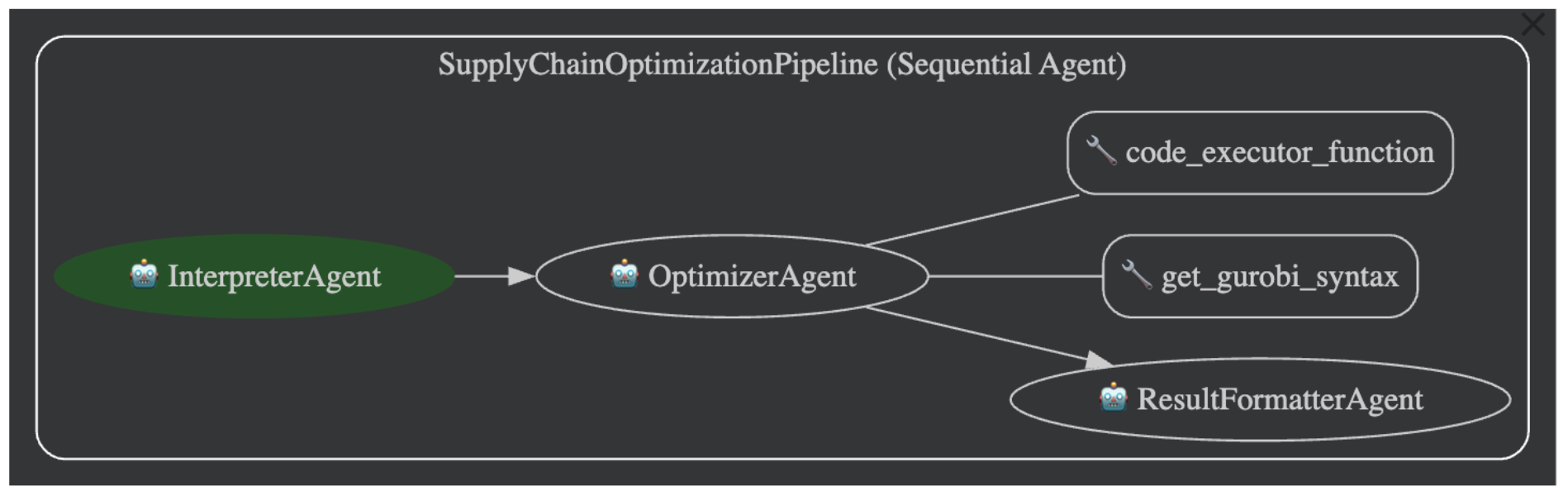
I built a simple AI agent that uses natural language to solve complex supply chain optimization problems. By combining Google’s Agent Development Kit (ADK) for the framework and the Gurobi Optimizer for the heavy math, I created a tool that can interpret plain English, run optimizations, and even handle “what-if” questions. It’s a fun throwback to my MBA days, but way more powerful than my old Excel sheets.
🔗 Check out the project on GitHub: : Github
Lately, I’ve been fiddling with AI agent frameworks, and I’ve really taken a liking to Google’s Agent Development Kit (ADK). The main reason? It’s just so easy to get started. It comes with a pre-built web interface, chat, tracing, and even a graph view of your agent’s logic—all neatly packaged.
While wondering what useful things I could build, I stumbled upon a research paper that threw me right back to my MBA Decision Modeling class:
“Large Language Models for Supply Chain Optimization” by Beibin Li, et al.
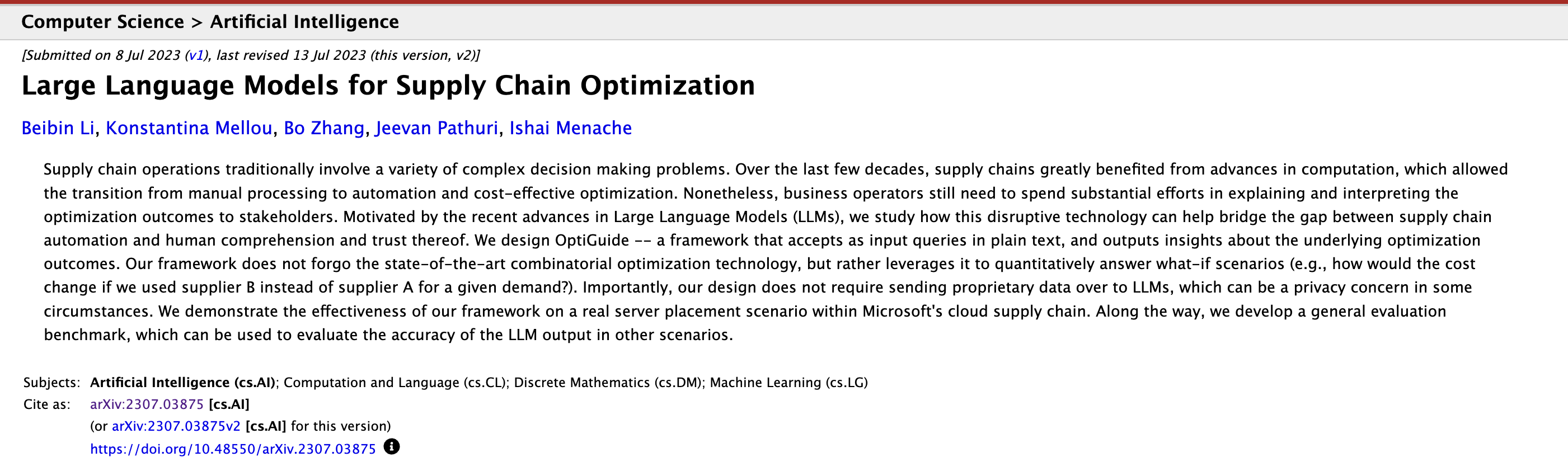
I remember spending hours meticulously designing complex Excel sheets for solver-based optimizations. The paper highlighted a problem I knew all too well: business operators spend a ton of effort trying to explain optimization results to stakeholders who don’t live and breathe this stuff.
Their solution, OptiGuide, was a framework that takes plain text queries and spits out easy-to-understand insights, and I thought Why not build an agent that does just that?
The result is a simple, sequential agent that uses the powerful [Gurobi Optimizer] to run the numbers and ADK to manage the workflow. It can perform sophisticated optimizations and even run “what-if” scenarios, all from a simple chat prompt.
–
How the Agent came Together
My agent, “SupplyChainOptimizationPipeline,” is a straightforward sequential flow that breaks the problem into three smaller, manageable sub-agents:
- Interpreter Agent: Figures out what you’re asking.
- Optimizer Agent: Does the math.
- Result Formatter Agent: Explains the answer in plain English.
Let’s break them down.
1. The Interpreter Agent:
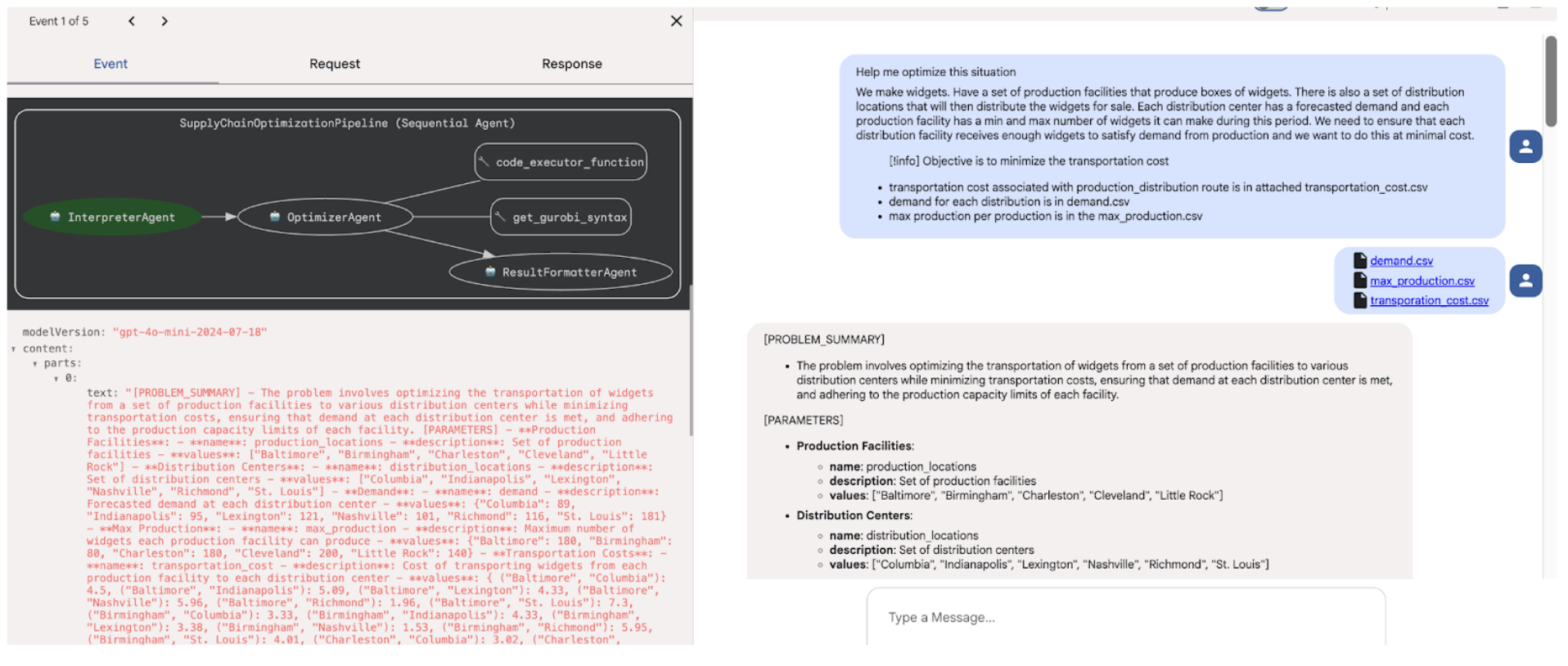
This is where the user’s request, written in plain text, gets translated into something a machine can understand. The Interpreter’s job is to pull out the key pieces of the puzzle:
- Parameters: Fixed values like costs, capacities, and demands.
- Decision Variables: The things we need to figure out (e.g., how many units to ship).
- Constraints: The rules of the game (e.g., budget limits, factory capacity).
- Objective Function: The ultimate goal (e.g., minimize cost, maximize profit).
Once it has this structured data, it hands it off to the next agent in the line.
2. The Optimizer Agent:
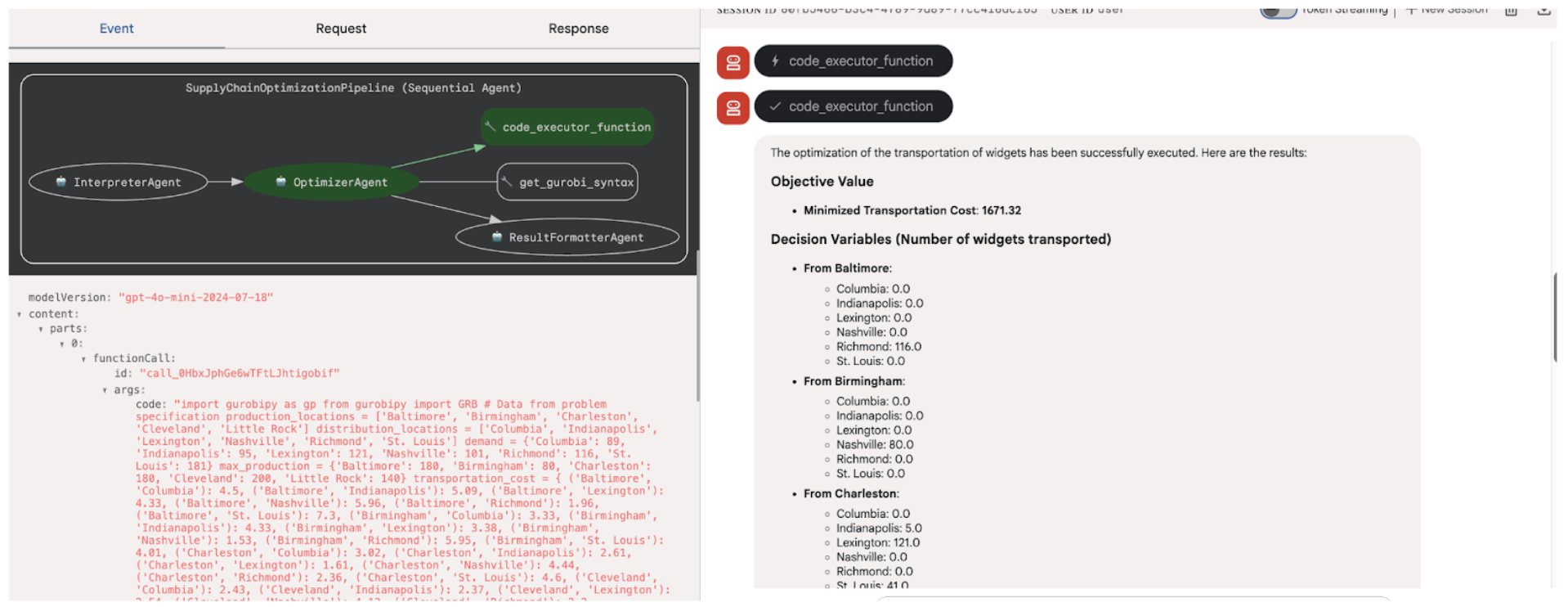
This agent is the computational powerhouse. I gave it two simple tools to do its job:
- Get Gurobi Syntax: A cheat sheet for the agent. Instead of having to “know” Gurobi’s Python syntax, it can look up examples to frame the problem correctly.
- Code Executor: A simple tool that takes the generated Python code and runs it in my local virtual environment. This lets the agent write and execute Gurobi scripts on the fly.
The Optimizer agent takes the structured problem from the Interpreter, uses its syntax tool to write the Gurobi code, and then runs it with the Code Executor. The raw results are then passed to our final agent.
(Note: For this project, a simple local executor is fine. In a real-world production app, you’d absolutely want to use a sandboxed environment for security!)
3. The Result Formatter Agent:
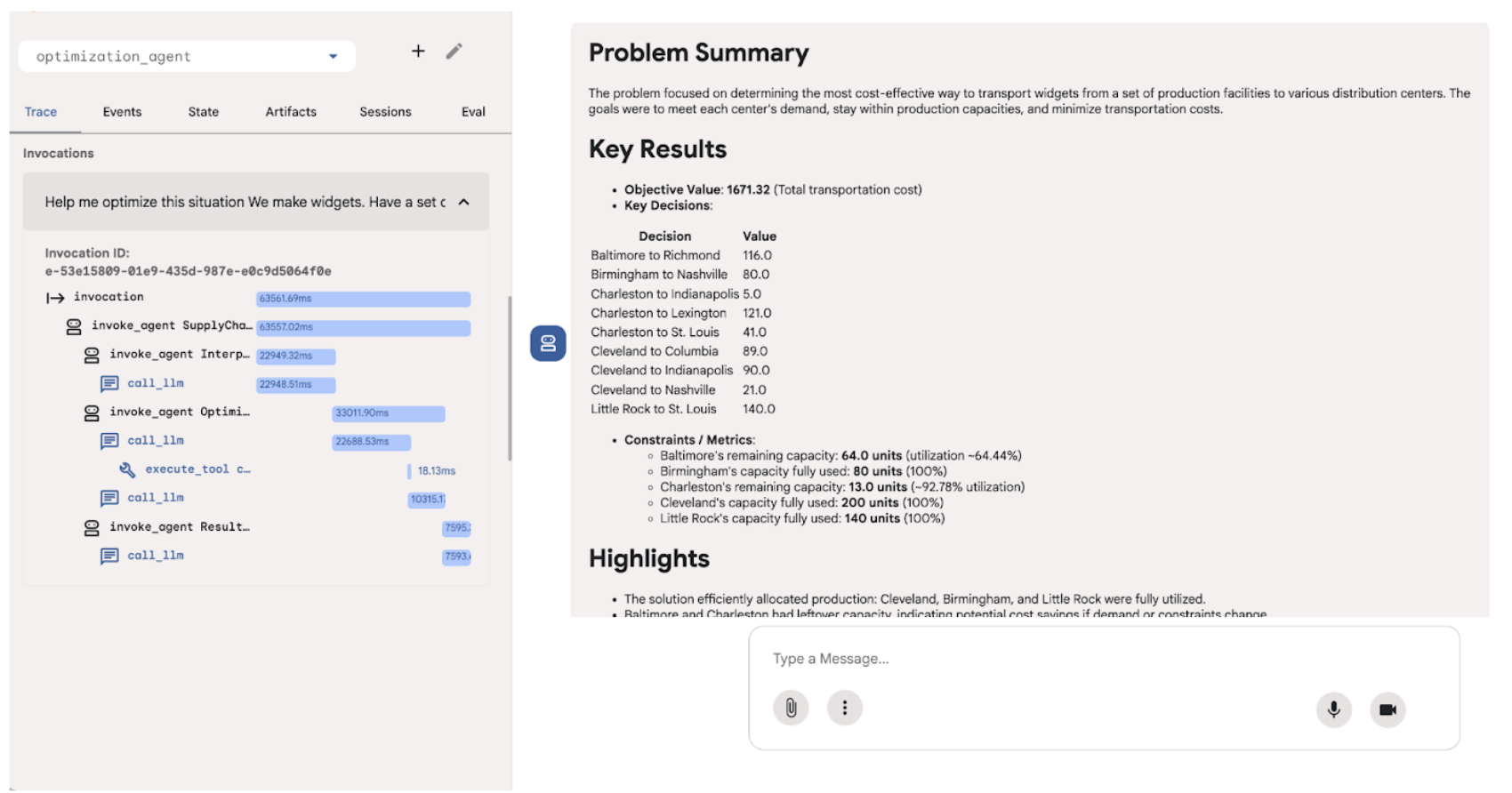
Raw optimization output can look like gibberish to someone who isn’t a data scientist. This agent’s only job is to translate that output into a clear, concise, and human-readable explanation, highlighting the optimal solution and its business implications. This closes the loop, bringing us back to the goal of the OptiGuide paper.
How about Follow-up Questions?
One of the neat features of ADK is its session memory (InMemorySessionService). When a user asks a follow-up question (like a “what-if” scenario), the agent remembers the entire conversation. The whole pipeline runs again, but with the full context, so you don’t have to start from scratch.
Want to Try It Yourself?
You can fork the GitHub repository and get this running in just a few steps:
- API Keys: Grab your API keys (I used a mix of OpenAI and Gemini) and drop them in a
.envfile. - Virtual Environment: Create and activate a Python virtual environment.
- Dependencies: Run
pip install -r requirements.txt. - Run ADK: From your terminal, just execute
adk run.
The Road Ahead: Where Could This Go?
This is a fairly simple implementation focused on network or flow-based problems where you can pass data via text or CSV. But it does show the potential of combining LLMs with powerful solvers. Some use case might be
- Dynamic Route Optimization: Rerouting delivery fleets in real-time based on traffic and weather. How much time and fuel could that save?
- Predictive Inventory Management: Combining demand forecasting with optimization to decide how much stock to keep in which warehouse. This could be a game-changer for reducing holding costs and preventing stockouts.
- Smarter Production Scheduling: Creating factory schedules that adapt on the fly to machine breakdowns or supply shortages. Think of the increased throughput and reduced downtime!
- Supply Chain Risk Simulation: Modeling potential disruptions (like a factory fire or a port closure) and finding the best mitigation plan. This offers invaluable resilience.